




Do you find yourself starting estate planning documents from scratch for every new matter, playing catch-up with templates whenever the law changes, or waiting for slow client responses?
These hurdles, among others, can seriously delay the planning process, stealing countless hours and making your workflow more complicated than it needs to be.
At a Glance
- Drafting bottlenecks often come from repetitive yet avoidable processes in the practice workflow.
- Inconsistent formatting and multiple versions of the same document slow down the review process and increase the risk of errors.
- Whether due to slow responses or AI-generated answers requiring fact-checking, client friction can create significant delays.
- You don’t need a separate solution for each bottleneck. A single, centralized drafting software can eliminate the patchwork of manual processes that slow down your workflow.
Estate planning usually involves many steps, from client meetings and legal research to asset analysis and more, but for many attorneys, it’s the drafting process that consumes the most time. Three types of bottlenecks are usually to blame: (1) drafting mechanics, (2) document consistency, and (3) client friction.
However, these bottlenecks don’t need to be solved one by one. The right estate planning drafting software can handle all three.
1. Why Does Drafting Documents Take So Long?
The first type of bottleneck we’ll discuss concerns the drafting process itself.
Building Documents from Scratch
Between serving clients and running a practice, some solo or small firms may have never had time to build a reusable template system. Other attorneys may not trust reusing an old document, worried that details from a prior client could get carried over. Whatever the reason, without a reliable document library, recreating the same document from scratch adds hours of work. With a full caseload, attorneys can end up spending as much time rebuilding the same framework as they do addressing what actually makes each client’s situation unique.
Constructing Custom Clauses
Clauses for special needs provisions, conditional bequests, and blended families all require careful drafting tailored to each client’s situation. Customizing clauses isn’t inherently the problem, however: The time loss comes from having to recreate similar language from scratch for each new matter, when a past clause could have been adapted instead.
Updating Document Templates When the Law Changes
Document templates have a shelf life. A clause that’s compliant today can become outdated the moment a state statute or tax rule changes. This gets even more complicated for attorneys practicing across state lines, where a template built for one state’s requirements may not hold up in another. Without a reliable system to track these changes, practices must manually comb through templates, identify every outdated clause, and update the language in each affected document—a process that can consume hours.
How Can Drafting Software Solve Bottlenecks in the Drafting Process?
- With a library of customizable templates, drafting software can eliminate the need to build documents from scratch without sacrificing legal accuracy.
- Some types of drafting software let you design templates for specific or frequently encountered client fact patterns, so you can reuse these scenarios instead of drafting them from scratch each time.
- BONUS: If attorneys maintain the drafting software behind the scenes, changes in law are reflected automatically with no manual review required on your end. Some types of drafting software go even further, providing recommended provisions and statutory references for the states you practice in.
2. How Do Inconsistent Documents Slow Down Your Practice?
The second type of drafting bottleneck centers on document consistency and standardization.
No Standardized Layout
When multiple attorneys and paralegals draft without a shared standard, documents end up looking noticeably different from one another in formatting, phrasing, and structure. Beyond undermining the firm’s professionalism, inconsistencies slow the review process and increase the risk of mistakes slipping through the cracks because reviewers can no longer rely on consistent layouts and wording.
No Single Source of Truth for Your Documents
Documents may reside scattered across shared drives and personal folders belonging to multiple attorneys and paralegals. When edits are made in different places without others knowing, it becomes a struggle to track which version is current, leading to a “wait, which version did we send to the client?” moment. Beyond the lost time spent sorting out which is the correct version, sending an outdated or incorrect draft can shake a client’s trust in your practice.
How Can Drafting Software Solve Consistency and Version Control Issues?
- Drafting software can provide a consistent, professional experience and speeds up review by standardizing the layout across your template and clause library.
- It can keep all documents in one centralized, secure location. This ensures your team always knows which version is current, and client plans are easier to maintain and update over time.
3. How Does Client Friction Slow the Drafting Process?
The final type of bottleneck focuses on delays in the drafting process caused by clients.
Waiting on Clients for Key Information
Drafting estate planning documents depends on information that only the client can provide. When clients take days or weeks to answer the questions that matter most, whether because the questions feel overwhelming, the decisions are emotionally difficult, or life simply gets in the way, the whole process can get delayed or even derailed.
More Clients Are Sharing Documents with AI
A growing number of clients are turning to AI regarding aspects of their estate plan, and some are even uploading drafts from their attorneys directly to public AI platforms. These documents often contain highly personal financial and family information, and clients may not realize that uploading them to a public platform means the data is no longer within their control. This also exposes the firm’s own drafting language and document structure to a third-party platform.
The issue doesn’t stop there. After consulting with an AI platform, clients may inundate their attorneys with a list of AI-generated questions. Each one must be researched and vetted, along with an explanation of why a generic AI answer may not account for the nuances of their specific plan.
This added time comes at a real cost for attorneys who may not have built their retainer agreements to account for this kind of exchange, leaving hours of unplanned research and client communication uncompensated.
How Can Drafting Software Solve Client Delays?
- Drafting software can include guided intake to collect client information upfront, which can then be automatically transferred into a client matter—reducing both manual entry and time lost waiting for answers.
- Beyond the software, some platforms’ subscriptions include access to a community of practitioners and educational courses led by experienced attorneys, offering insights into emerging challenges, such as clients’ use of AI.
Solving Drafting Bottlenecks Starts with the Right Tools
While these three types of bottlenecks—drafting mechanics, document consistency, and client friction—can feel like three separate headaches, they all stem from the same issue: work that is repeated, scattered, and handled by hand when a single system could manage it all more effectively and efficiently.
Having one system can significantly reduce or even eliminate these delays, giving attorneys back the hours they need to secure their clients’ futures and legacies, rather than losing them to their own workflow.
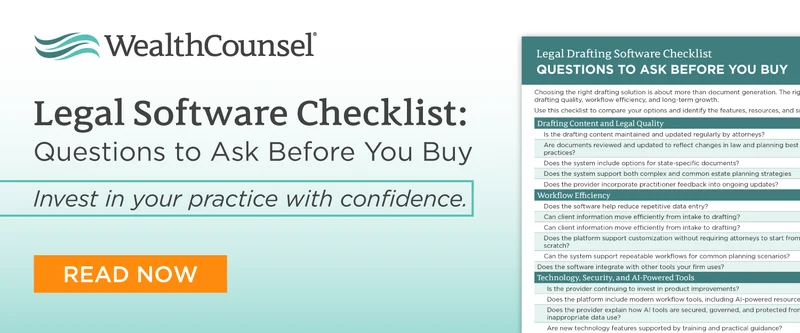
If you’re ready to explore what the right system could look like for your practice, start by asking the right questions. Our “Legal Software Checklist: Questions to Ask Before You Buy” guides you through exactly what to look for during platform demos.
.png)